使用 C++ 實現一個簡單的 Coding Agent: 從 curl 呼叫開始
用久了 claude, codex, opencode 後,很好奇這些 coding agent 是怎樣實作的,於是花了一點時間研究一下,並寫一個簡單但是可以使用的 coding agent 作為練習。
雖然說現在有 AI 後,使用的語言是什麼無所謂,但是這類文章使用 C++ 的很少,於是就選用 C++ 吧。
如何開始
要寫一個 coding agent 前,除了選擇要用的程式語言外,就是如何獲得可以使用的 Model 了,本文選用 openrouter 作為我們模型的來源,選用他的原因是它提供了一般使用者 免費的模型 , 這樣即使是沒錢可以訂閱 (或是不想花錢) 但是想研究 coding agent 的實現的人也可以實現自己的 agent。
由於使用 openrouter 免費的模型需要獲得 API KEY , 因此讓我們先登入這個網頁
註冊 openrouter 並獲得 API Key
我們登入到 openrouter 去,如果沒有帳號的需要自行註冊,或是透過 Google/Github 等帳號登入
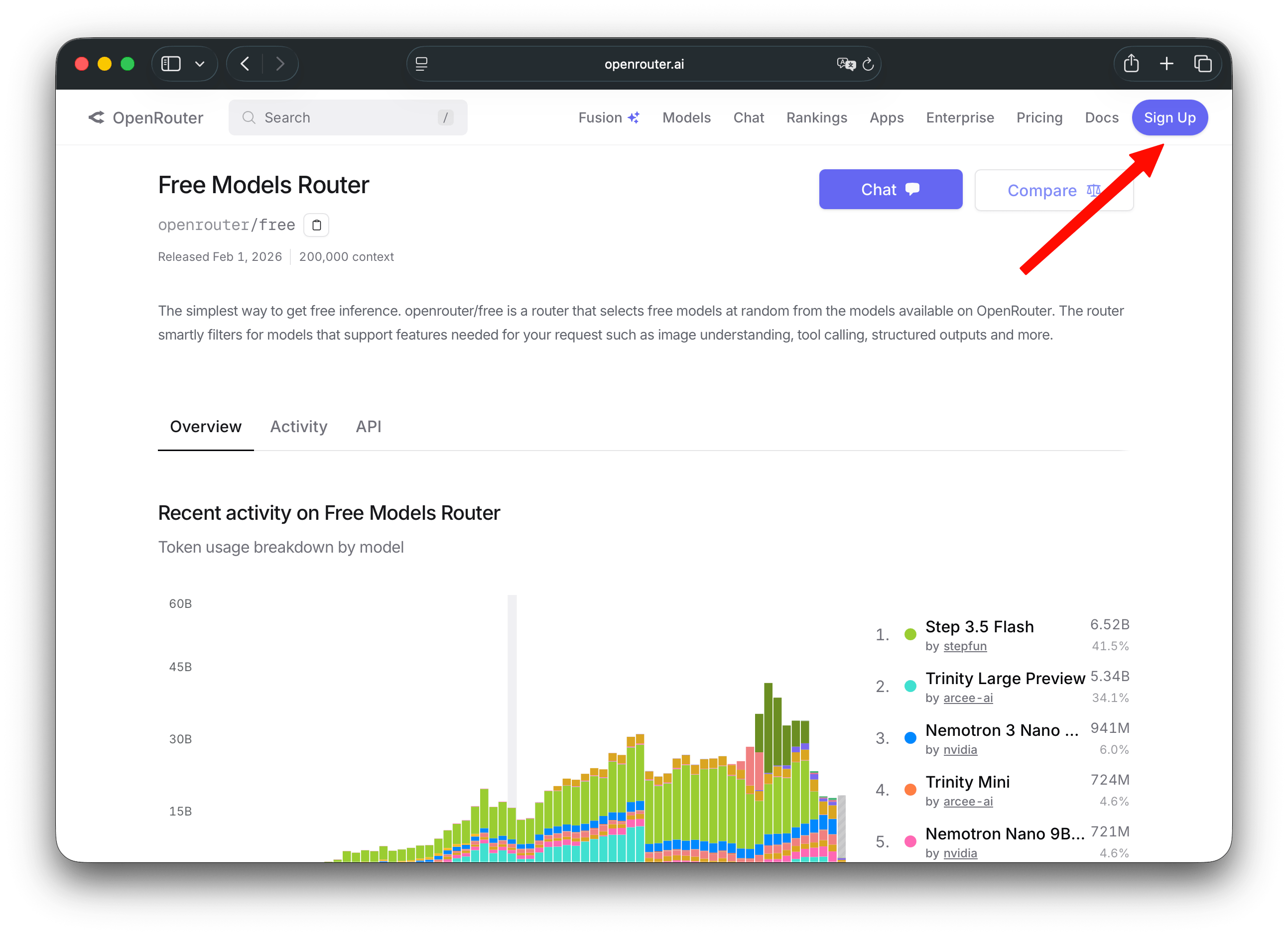
登入完成後,點選 Settings
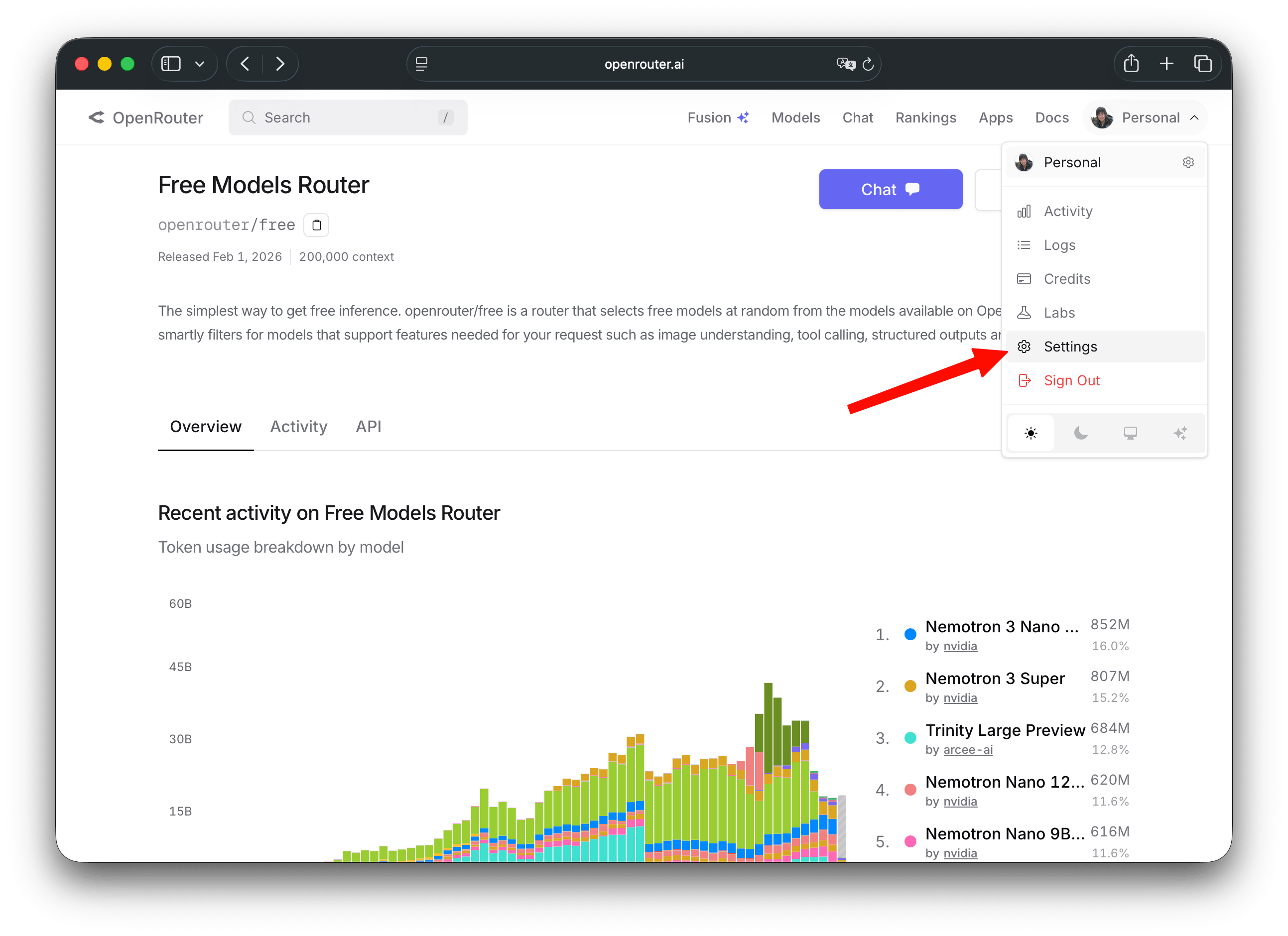
接下來點選 API Keys 欄位,並建立自己的 API Key
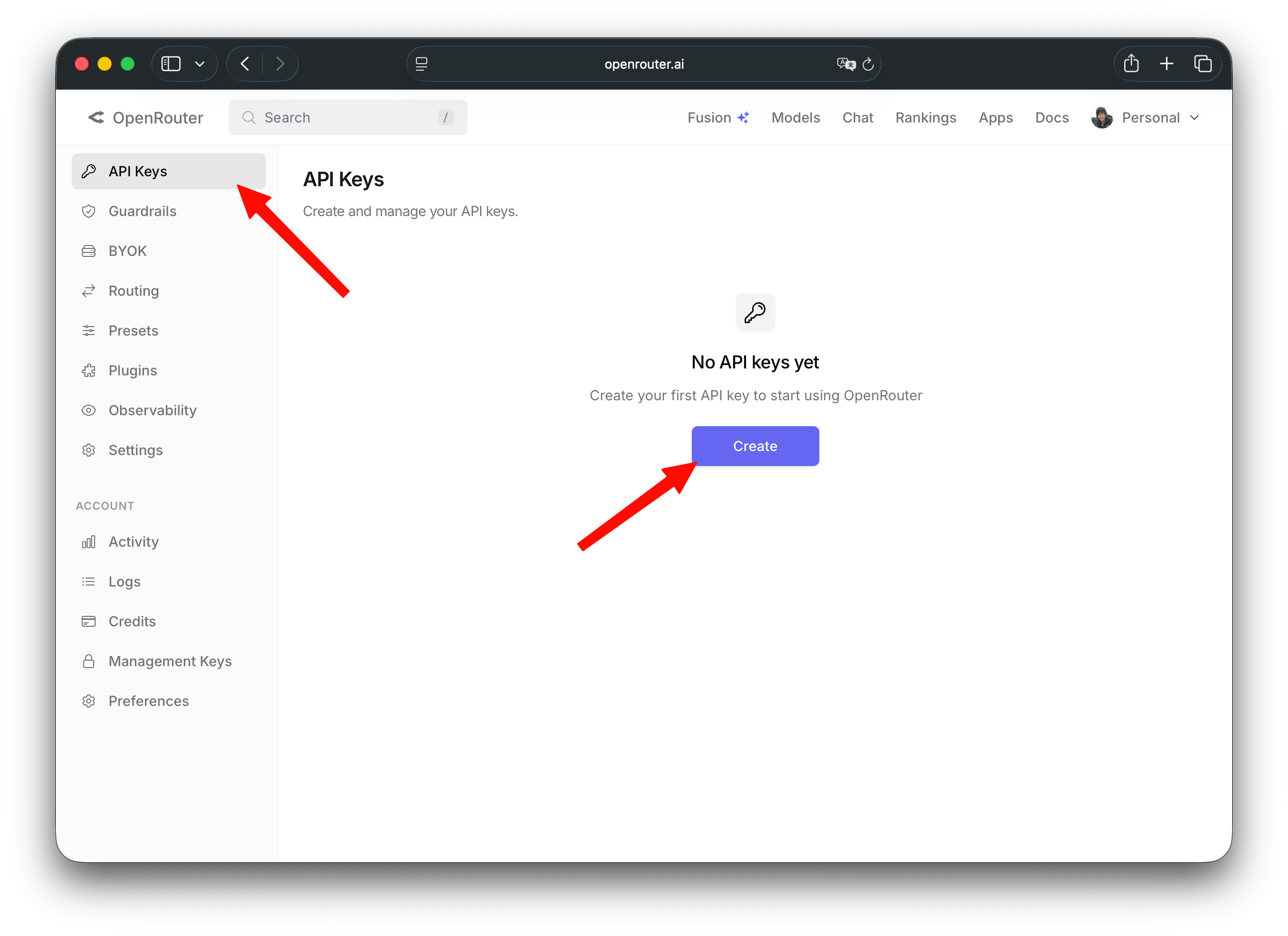
這邊的 API Key 名稱是為了讓自己可以辨識這是哪個用途的,可以任意自訂,這邊設定 my agent 並允許全部權限以及不會過期 (No expiration)
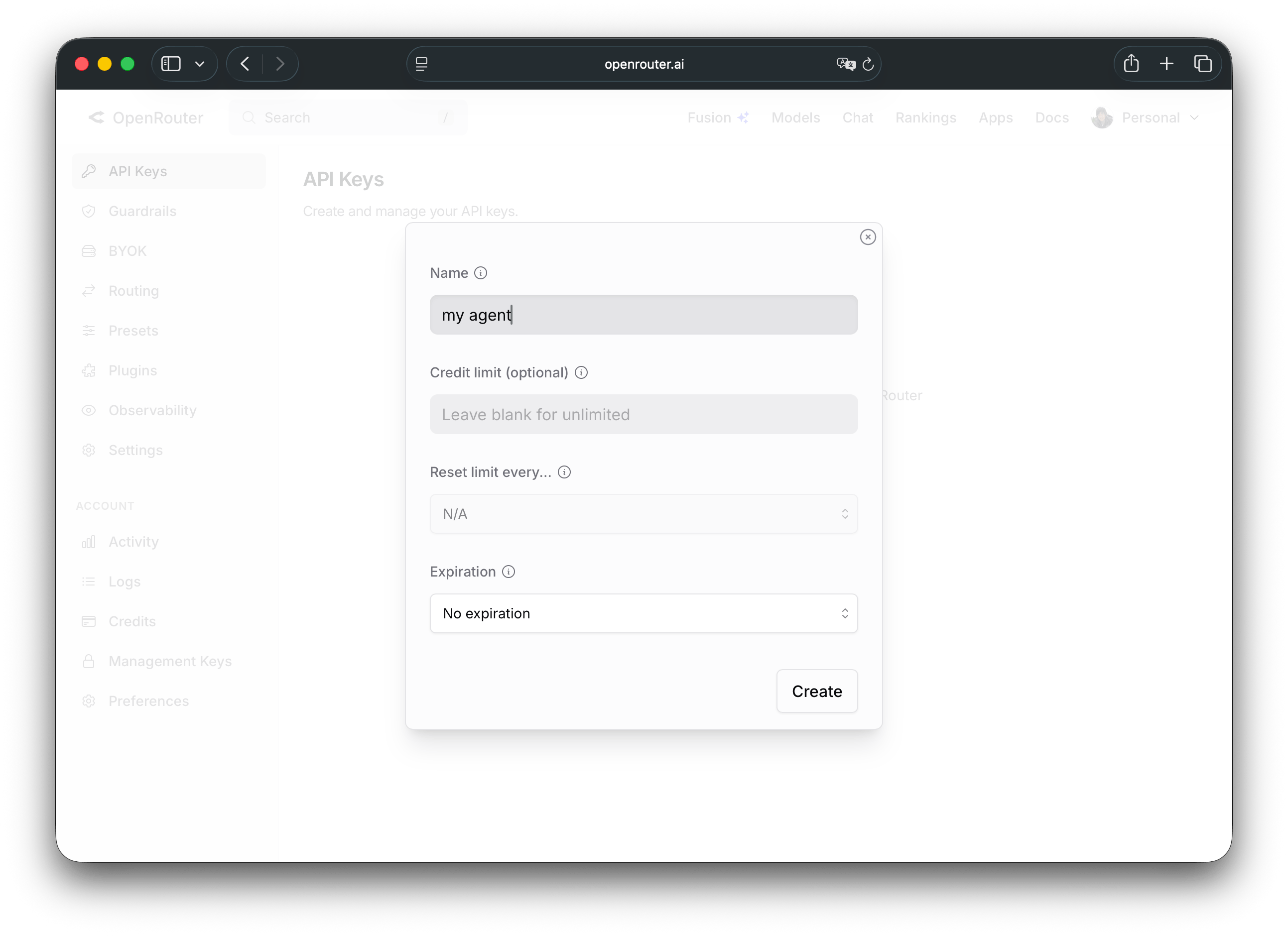
點選箭頭的位置複製你的 API Key ,這邊注意到一但你離開這個頁面後,就再也無法找到這份號碼,因此一定要好好保存
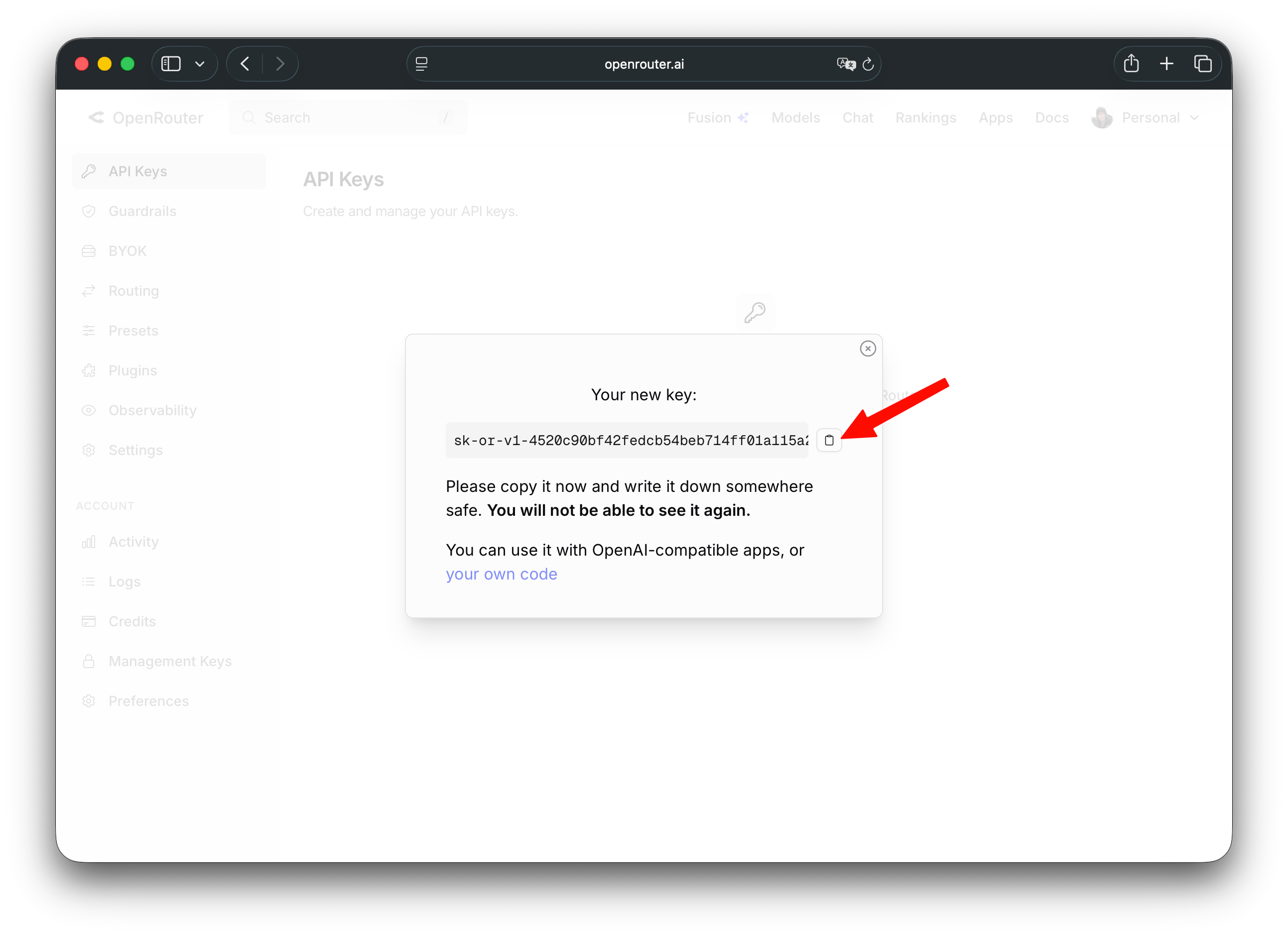
假設我獲得的是 sk-or-v1-123456789, 則我會在我的 ~/.bashrc 這樣加入
export OPENROUTER_API_KEY="sk-or-v1-123456789"
這樣以後就可以方便進行測試
第一個測試: 使用 curl 進行呼叫
接下來我們就可以用 curl 命令來進行簡單的測試,免費的模型名稱為 openrouter/free , 而 API 端點為 https://openrouter.ai/api/v1/chat/completions , 所以這樣下命令 (記得在環境變數 OPENROUTER_API_KEY 裡面設定好你的 API Key)
這邊送一個很簡單的訊息: Hi, I am jimmy
curl https://openrouter.ai/api/v1/chat/completions \
  -H "Authorization: Bearer $OPENROUTER_API_KEY" \
  -H "Content-Type: application/json" \
  -d '{
    "model": "openrouter/free",
    "messages": [
      {
        "role": "user",
        "content": "Hi, I am jimmy"
      }
    ]
  }'
我們會得到以下結果,這邊將其展開並清掉一些不重要欄位:
注意: 因為 free model 會隨機挑閒置的 model 使用, 因此每次結果都會不一樣
{
  "id": "gen-1775905401-D1u9yEiaaOqaSYxgrNF7",
  "object": "chat.completion",
  "created": 1775905401,
  "model": "liquid/lfm-2.5-1.2b-instruct-20260120:free",
  "provider": "Liquid",
  "system_fingerprint": null,
  "choices": [
    {
      "index": 0,
      "logprobs": null,
      "finish_reason": "stop",
      "native_finish_reason": "stop",
      "message": {
        "role": "assistant",
        "content": "Hi Jimmy! Nice to meet you. How can I assist you today? 😊",
        "refusal": null,
        "reasoning": null
      }
    }
  ],
  "usage": {
    "prompt_tokens": 16,
    "completion_tokens": 18,
    "total_tokens": 34,
    "cost": 0,
    "is_byok": false,
    "prompt_tokens_details": { ... },
    "cost_details": { ... },
    "completion_tokens_details": { ... }
  }
}
可以看到我們想要的訊息在 choices.message.content 這邊,因此如果有將訊息保存,並使用 jq 將其撈出來的話,可以獲得 AI 端的訊息,因此我們可以搭配 jq 下我們的命令:
curl https://openrouter.ai/api/v1/chat/completions \
  -H "Authorization: Bearer $OPENROUTER_API_KEY" \
  -H "Content-Type: application/json" \
  -d '{
    "model": "openrouter/free",
    "messages": [
      {
        "role": "user",
        "content": "Hi, I am jimmy"
      }
    ]
  }' | jq -r '.choices[0].message.content'
就會得到
Hi Jimmy! Nice to meet you. How can I assist you today? 😊
也就是說,最簡單的 Agent 就是這樣不斷對 API_POINT/v1/chat/completions 這個節點發送命令,並對 choices.message.content 進行解析,這樣我們就可以開始寫我們的 agent 了。
第一個測試的心得
在上一個使用 curl 的步驟中,我們可以推測一個簡單的 Agent 的呼叫流程大概是這樣:
sequenceDiagram
    participant User
    participant Agent
    participant LLM_API as API<br/>/v1/chat/completions

    Note over Agent: 最簡單的 Agent 循環

    User->>Agent: 給定任務 (Task)

    loop 持續運行直到任務完成
        Agent->>LLM_API: POST 請求<br/>{"messages": [...], "tools": [...]}
        LLM_API-->>Agent: 200 OK<br/>{"choices": [{"message": {"content": "...", "tool_calls": [...]}}]}

        Agent->>Agent: 解析 choices[0].message.content
        Agent->>Agent: 解析 tool_calls (如果有)

        alt 需要呼叫工具
            Agent->>Agent: 執行 Tool
            Agent->>LLM_API: 再次發送 Tool 執行結果
            LLM_API-->>Agent: 新回應
        else 直接回應
            Agent-->>User: 最終回答或中間狀態
        end
    end

    Note right of Agent: 重複「發送 → 解析 → 執行」直到完成
第二次發送
於是我們知道最基本的問答系統大概這樣寫,那如果我剛剛說了 "I am jimmy" 後,如果問他我是誰呢?
curl https://openrouter.ai/api/v1/chat/completions \
  -H "Authorization: Bearer $OPENROUTER_API_KEY" \
  -H "Content-Type: application/json" \
  -d '{
    "model": "openrouter/free",
    "messages": [
      {
        "role": "user",
        "content": "Who am I?"
      }
    ]
  }' | jq -r '.choices[0].message.content'
這次得到的東西很詭異,會是:
The question "Who am I?" is quite broad and could have many meanings depending on context.
Could you clarify what you're asking? For example:
- Are you asking about your identity (name, role, sense of self)?
- Are you exploring philosophical questions about existence or purpose?
- Do you need help with something specific (e.g., self-discovery, a project)?

Let me know, and I’ll tailor my response! 😊
疑,他忘記我是誰了?跟說好的不一樣啊?這樣要怎樣讓他記住第一次我跟他說的 "Hi, I am jimmy" 呢?
要達到這個目標,我們就需要將第一次的訊息搭配 AI 回傳的訊息一起送過去,也就是這樣呼叫:
curl https://openrouter.ai/api/v1/chat/completions \
  -H "Authorization: Bearer $OPENROUTER_API_KEY" \
  -H "Content-Type: application/json"  \
  -d '{
    "max_tokens": 1024,
    "messages": [
      {
        "content": "Hi, I am jimmy",
        "role": "user"
      },
      {
        "content": "Hi Jimmy! Nice to meet you. How can I assist you today? 😊",
        "role": "assistant"
      },
      {
        "content": "Who am I?",
        "role": "user"
      }
    ],
    "model": "openrouter/free"
  }' | jq -r '.choices[0].message.content'
我們就會得到這樣的訊息,看, AI 記住我們是誰了
You told me you are Jimmy!

However, I have no memory of you beyond that. I'm an AI, so I don't know anything about you personally unless you *tell* me.

So, as far as *I* know, you are Jimmy, a person who is currently chatting with me.

Is there anything specific you'd like me to help you figure out about yourself? Perhaps you're playing a game or testing me? 😉
第二次的心得
從剛剛的實驗中,我們可以得到結論,每次發送的訊息,必須包括之前的訊息,以及 AI 的回應,這樣才能讓 AI 記住我們,這也是為什麼 Agent 會有 session 限制的原因,因為當時間一久要發送過去的訊息就越來越多,於是 AI 就爆炸了!
所以目前知道 Agent 訊息傳遞流程會是這樣:
sequenceDiagram
    participant User
    participant Agent
    participant LLM_API as LLM API<br/>/v1/chat/completions

    Note over Agent,LLM_API: **關鍵概念:必須帶上完整對話歷史**

    User->>Agent: 第一個問題<br/>「今天天氣如何?」

    Agent->>LLM_API: 發送 messages = [User: 今天天氣如何?]
    LLM_API-->>Agent: AI 回應 A1

    Agent-->>User: 顯示 A1

    User->>Agent: 第二個問題<br/>「那明天呢?」

    Agent->>LLM_API: 發送 messages = [User1, AI1, User2]
    LLM_API-->>Agent: AI 回應 A2

    Note right of LLM_API: 每次都要帶完整歷史

    User->>Agent: 第 N 個問題...

    loop 對話持續進行
        Agent->>LLM_API: messages = [所有歷史訊息 + 最新問題]
        LLM_API-->>Agent: AI 回應
    end

    Note over Agent,LLM_API: **問題出現:Context 爆炸**

    rect rgb(255, 200, 200)
        Note right of LLM_API: 歷史訊息越積越多<br/>→ Token 數暴增<br/>→ 超過模型 Context Limit<br/>→ **AI 爆炸 / 失效**
    end

    Note over Agent: 這就是 Agent 會有 **Session 限制**<br/>的主要原因
結語
在本篇文章的實驗中,我們知道了如何從腳本命令做出一個簡單的溝通用 Agent, 下一篇文章後我們就會開始寫 C++ 進行我們的專案實作了。